GoTo
Designing an attendant console for managing high call volumes.
Role
UX Designer
Duration
4 months
Deliverables
Competitor analysis, Low-fidelity explorations, High-fidelity mocks, Interactive prototypes
Challenge
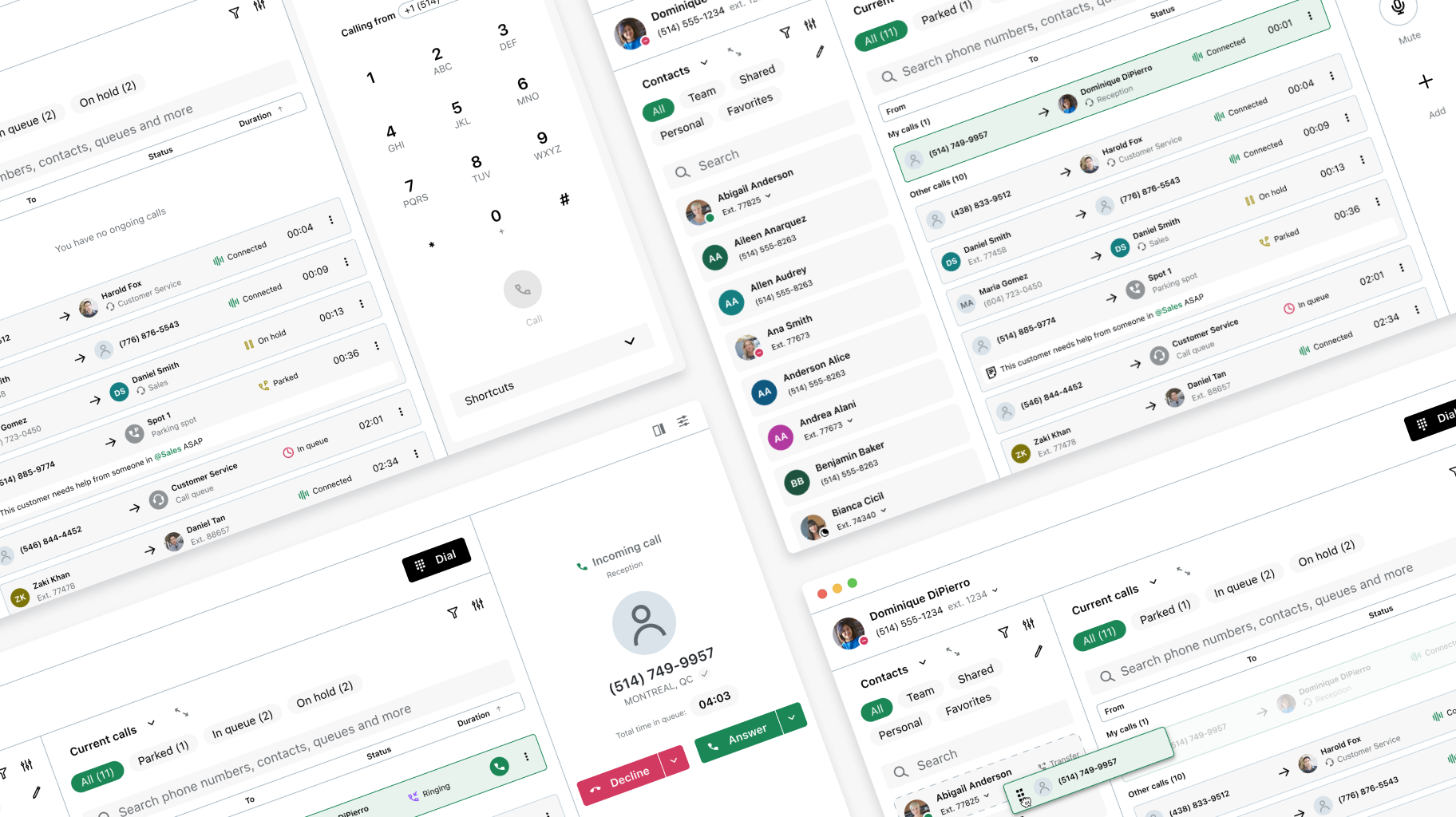
GoTo’s softphone is one of the company’s flagship products and a core tool for its wide range of users across multiple industries. It supports several personas, but one of the most critical is the frontline worker, which includes roles like contact center agents, receptionists, and other customer-facing professionals.
A major challenge for this persona is constant multitasking and shifting focus. Frontline workers are expected to manage customer calls while simultaneously navigating multiple tools and workflows. Screen space is often limited, yet they need quick access to several applications at once to do their job effectively. During peak periods, it’s not uncommon for them to juggle up to five calls at the same time. Combined with frequent interruptions and time-sensitive requests, handling calls efficiently becomes one of the biggest pain points in their daily work.
A major challenge for this persona is constant multitasking and shifting focus. Frontline workers are expected to manage customer calls while simultaneously navigating multiple tools and workflows. Screen space is often limited, yet they need quick access to several applications at once to do their job effectively. During peak periods, it’s not uncommon for them to juggle up to five calls at the same time. Combined with frequent interruptions and time-sensitive requests, handling calls efficiently becomes one of the biggest pain points in their daily work.
Problem Statement
“Frontline workers often handle a high volume of calls while juggling multiple tasks, making it difficult to keep track of calls in progress, quickly identify available colleagues for transfers, and retrieve parked calls without disruption. How might we design a solution that simplifies call visibility and management, so frontline workers can handle calls more efficiently and deliver better customer service?”
Process
1 | Existing feedback analysis
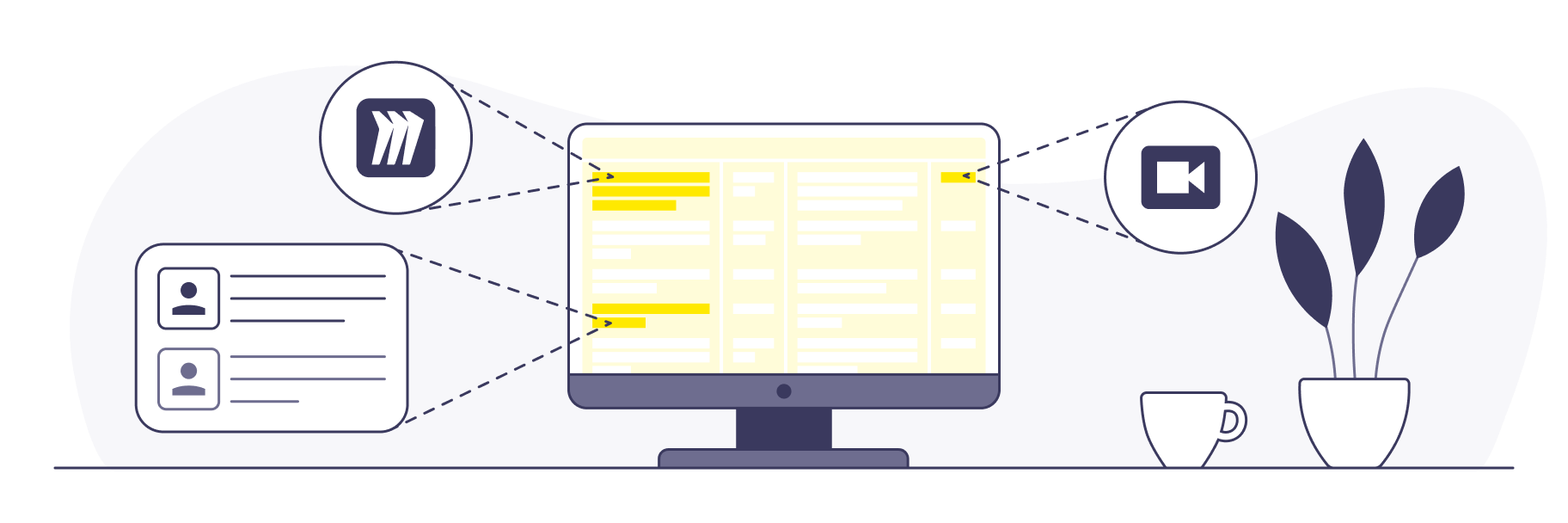
With a dedicated UX research team in place, we had access to extensive user feedback collected throughout the years. A recurring theme highlighted the daily challenges faced by frontline workers, particularly managing high call volumes while juggling multiple tools. As a first step, we synthesized this feedback to surface key insights and define the project’s desired outcomes. Sources included research repositories, customer feedback recordings, research readouts, and Miro boards.
2 | Competitor analysis
Attendant consoles are widely used to help users manage multiple calls simultaneously. We analyzed six competing products to identify common UX and UI patterns. Two primary approaches emerged: some prioritized contact directories and coworker availability, while others focused on visualizing live calls across the organization. We also noted varying levels of complexity, from power-user tools to more streamlined solutions. These insights clarified industry standards and helped position our solution in the market.
3 | Ideation and early exploration
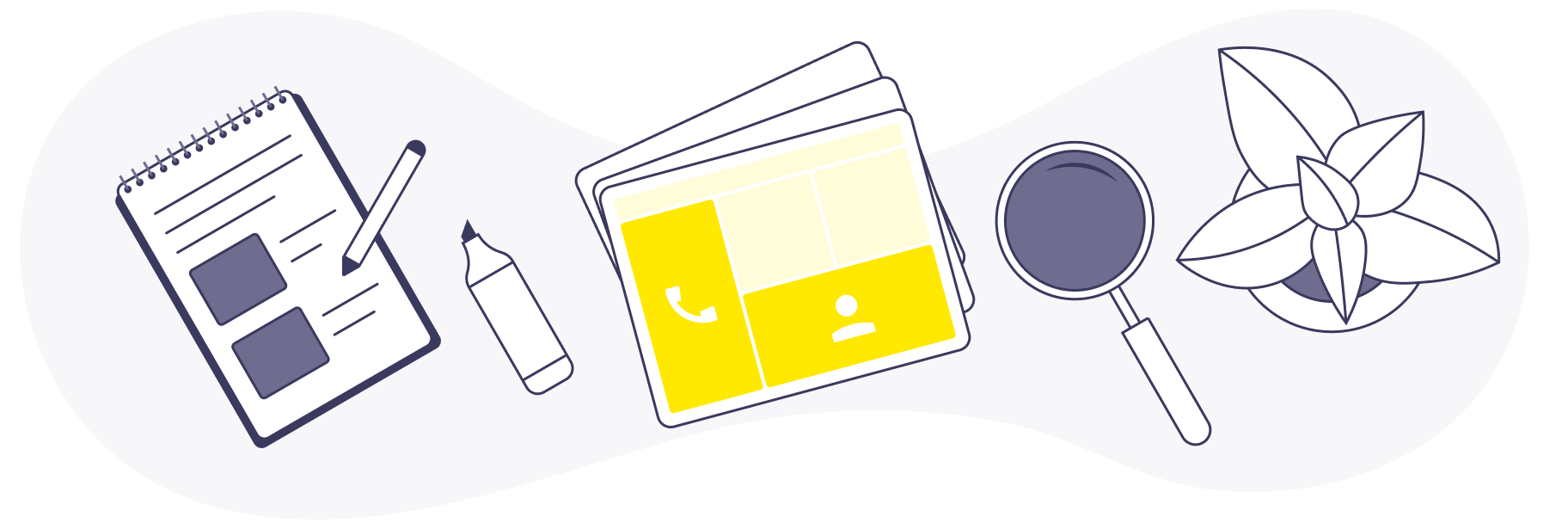
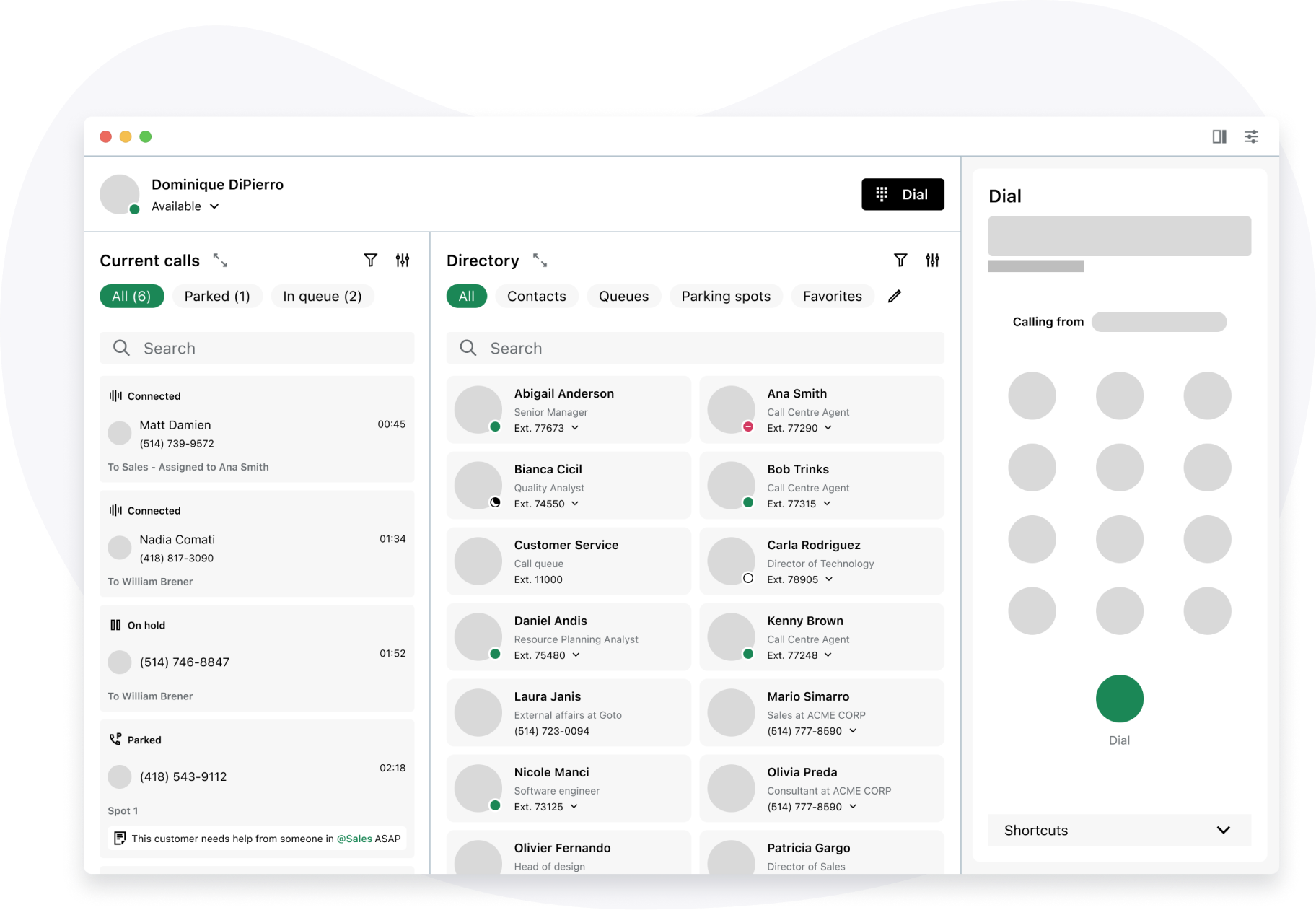
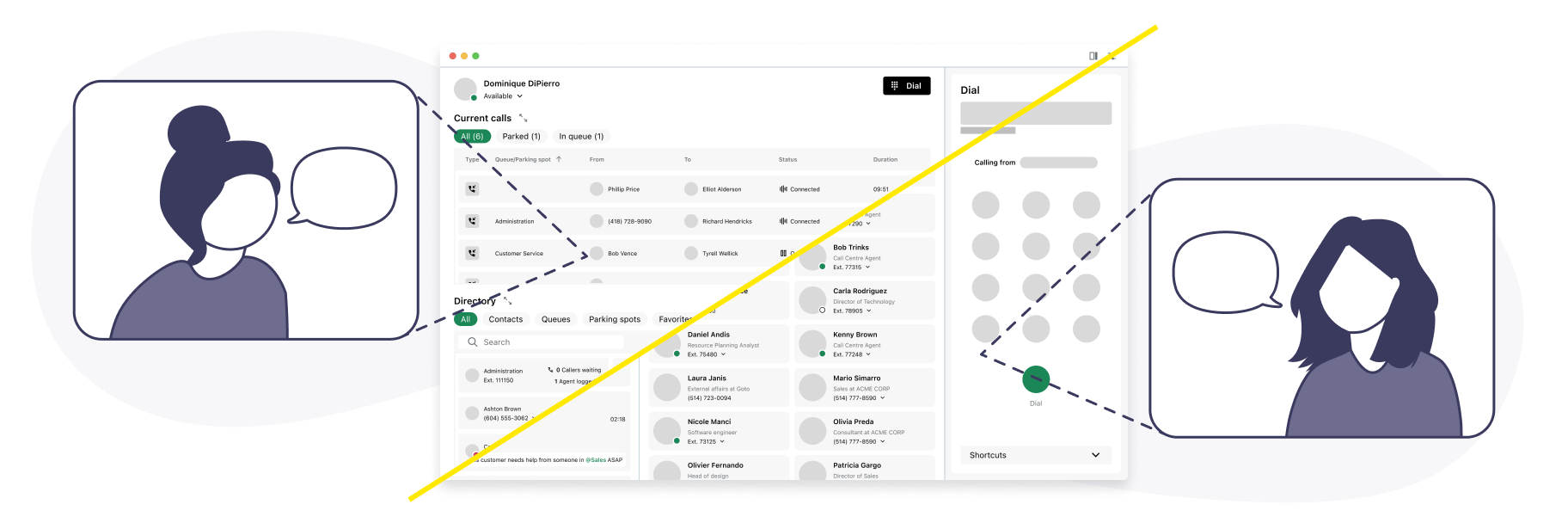
Our team set out to design a product that balanced advanced features, such as call parking and call monitoring, with an experience simple enough for less tech-savvy users. The ideation phase focused on low-fidelity prototypes to quickly test interactions with real users. As these explorations evolved, two primary layouts emerged, each offering a distinct experience: a horizontal layout, which provided better visibility into ongoing calls across the organization, and a vertical layout, which offered clearer access to the contacts directory.
4 | Usability testing
We tested the low-fidelity prototypes by having receptionists complete common day-to-day tasks, such as answering incoming calls, transferring calls to available coworkers, and parking calls. Since two layouts were being explored, we structured the sessions similarly to A/B testing: participants were randomly assigned one prototype, completed the tasks, then repeated them using the other layout. While feedback was fairly balanced, the horizontal layout was slightly preferred for its clearer overview of ongoing calls.
5 | Iteration and refinement
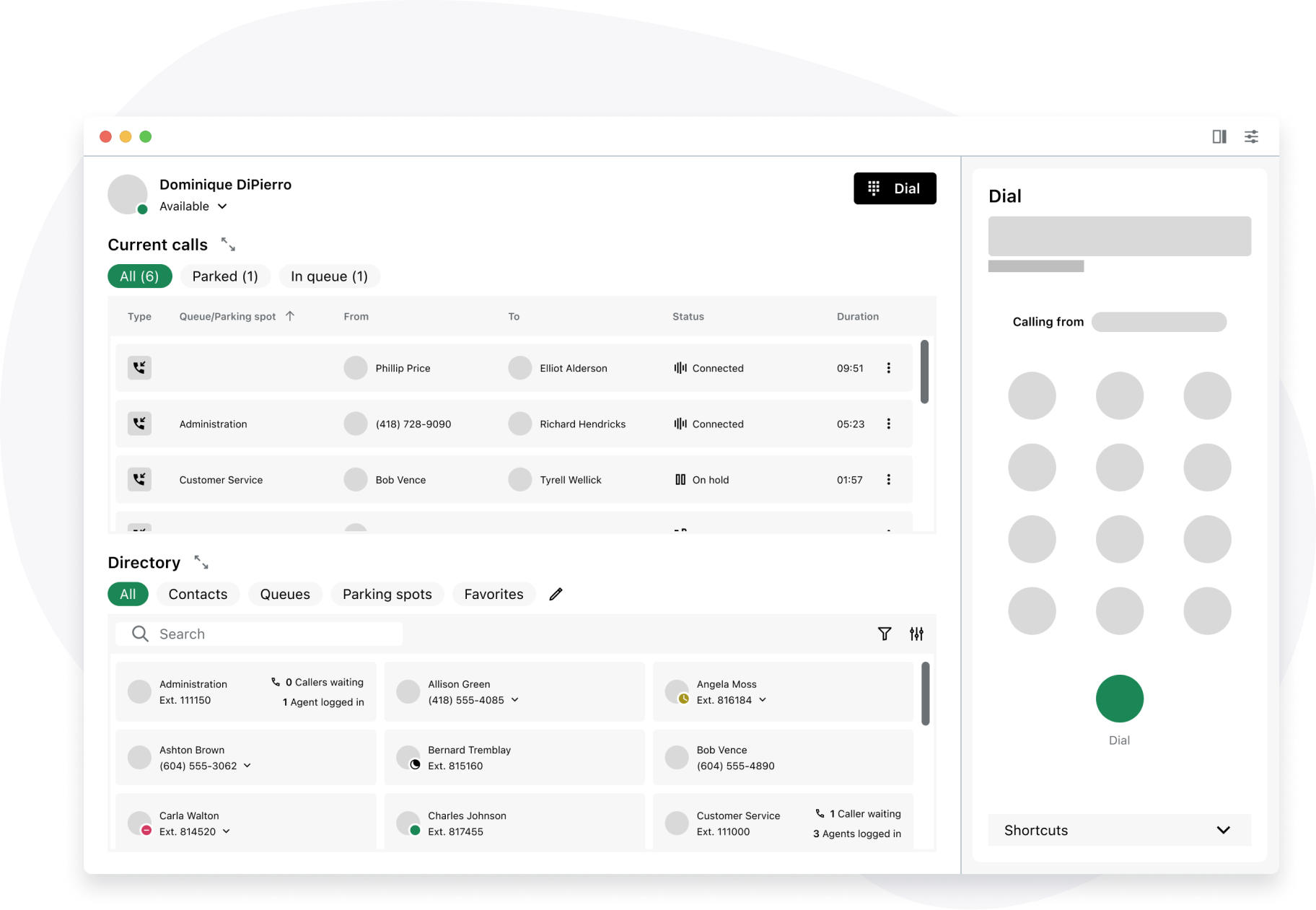
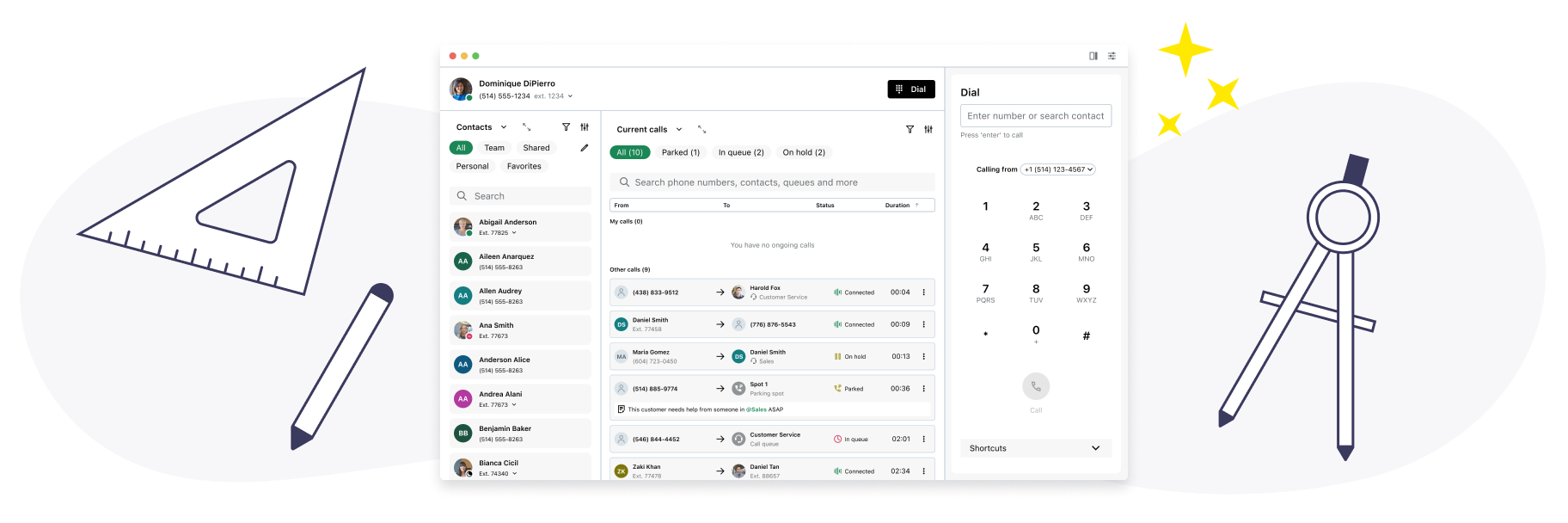
Insights from usability testing led us to explore a third option, internally referred to as the hybrid layout, which combined the strengths of both previous approaches. It retained the horizontal layout’s clear visibility into ongoing calls while incorporating the vertical layout’s cleaner structure and easier left-to-right scanning. This hybrid approach was refined into high-fidelity mockups and prototypes, then presented to internal stakeholders for final approval.
6 | Implementation and launch
The final designs were thoroughly documented to support engineering during implementation. We closely coordinated with partner teams where features required cross-team alignment. The implementation process was highly collaborative, with ongoing input from product, engineering, and design leading to further refinements. This collaboration contributed to a successful launch and strong adoption in the first few months after release.
Results
Overview
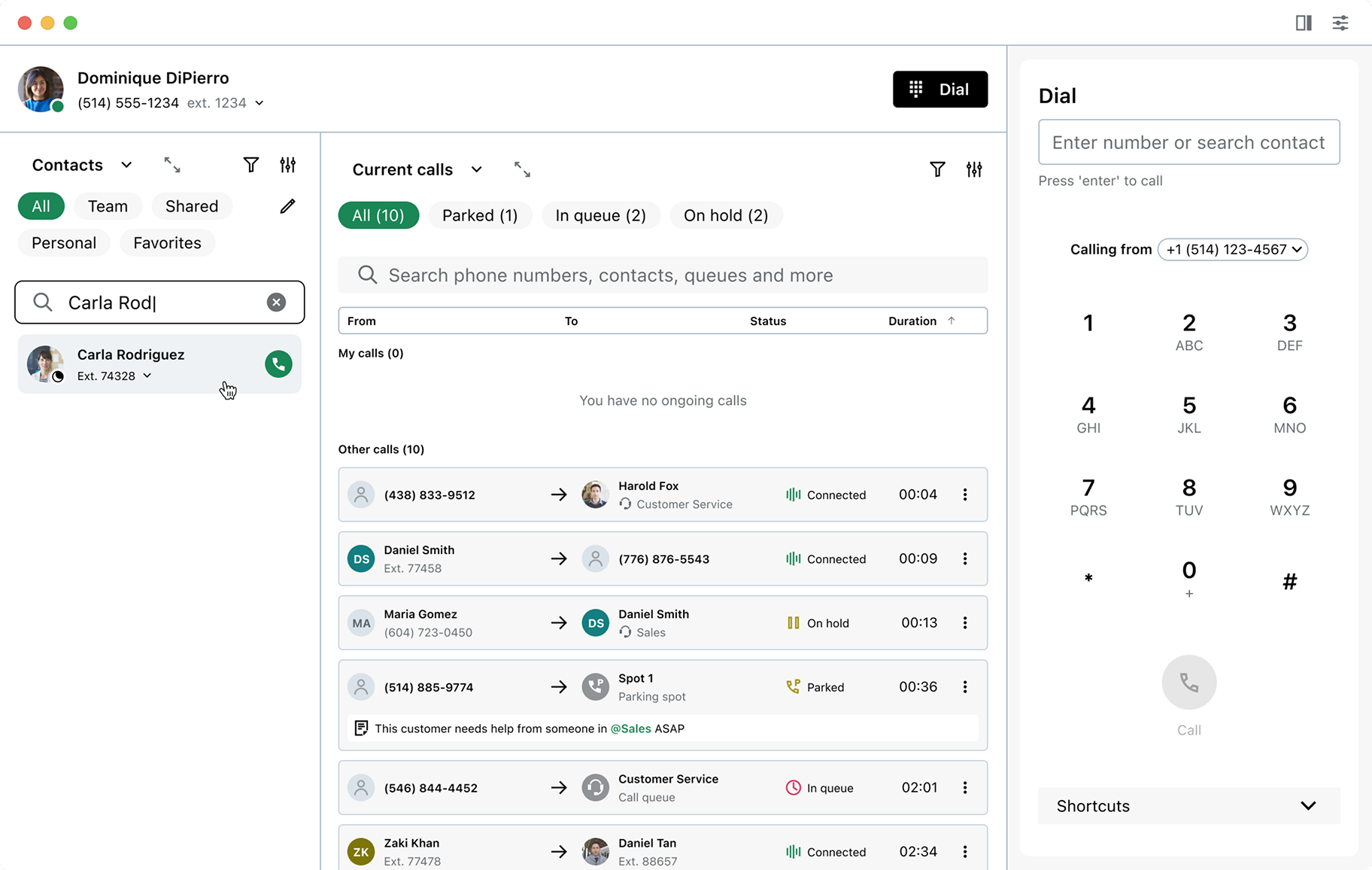
This video highlights the core functionalities of the attendant console. Available as one of the softphone’s layout options, it can be enabled directly from the layout menu. Once activated, users are presented with a status bar to update their availability, a directory of internal and external contacts, a list of active calls, and the softphone panel on the right for placing and managing calls.
Incoming calls
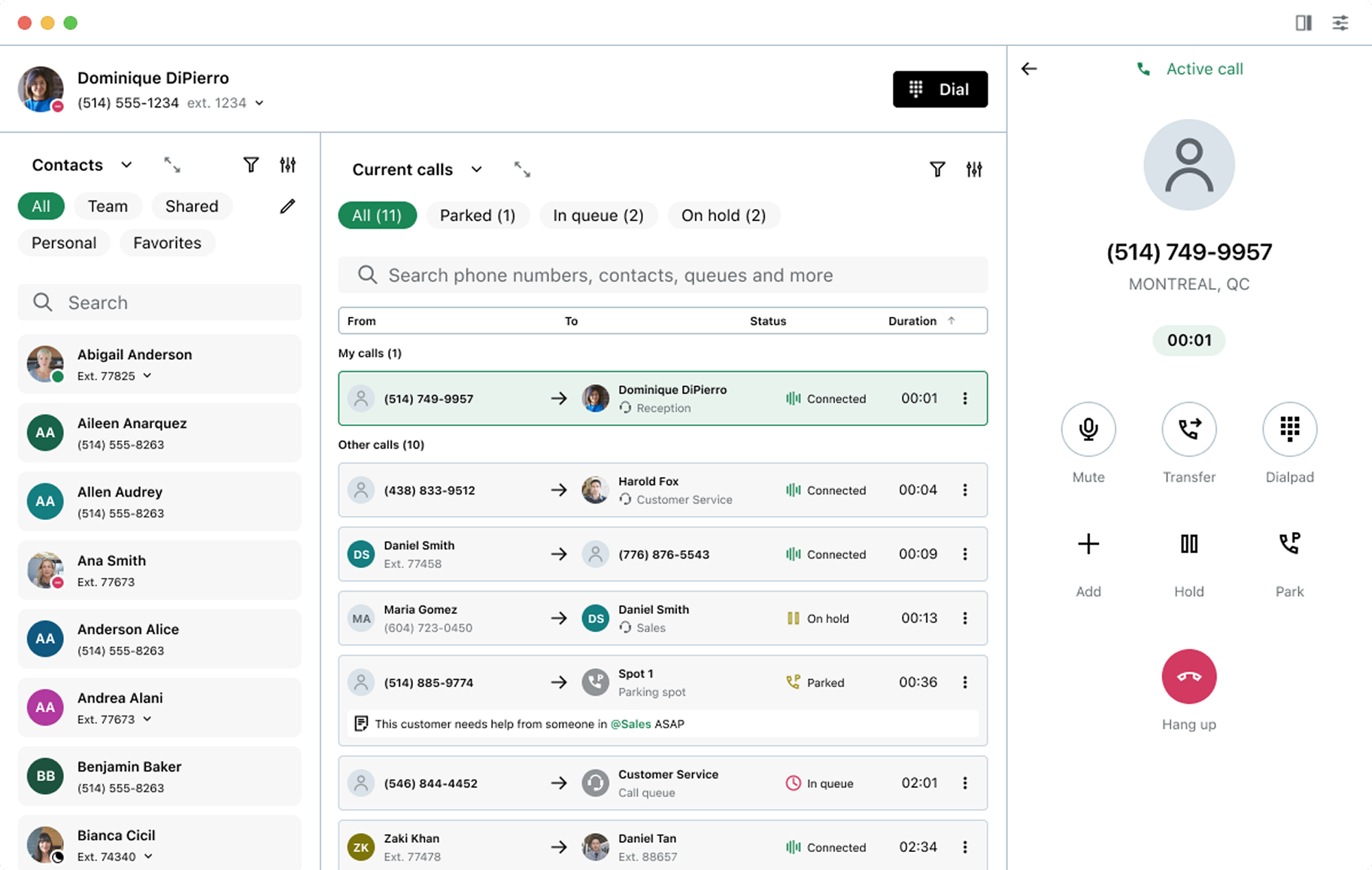
The softphone updates immediately when an incoming call is received, allowing users to answer, decline, park, transfer, or send the call to voicemail. A dedicated “My calls” section at the top of the active calls list displays all calls currently handled by the user for quick reference.

Transferring a call
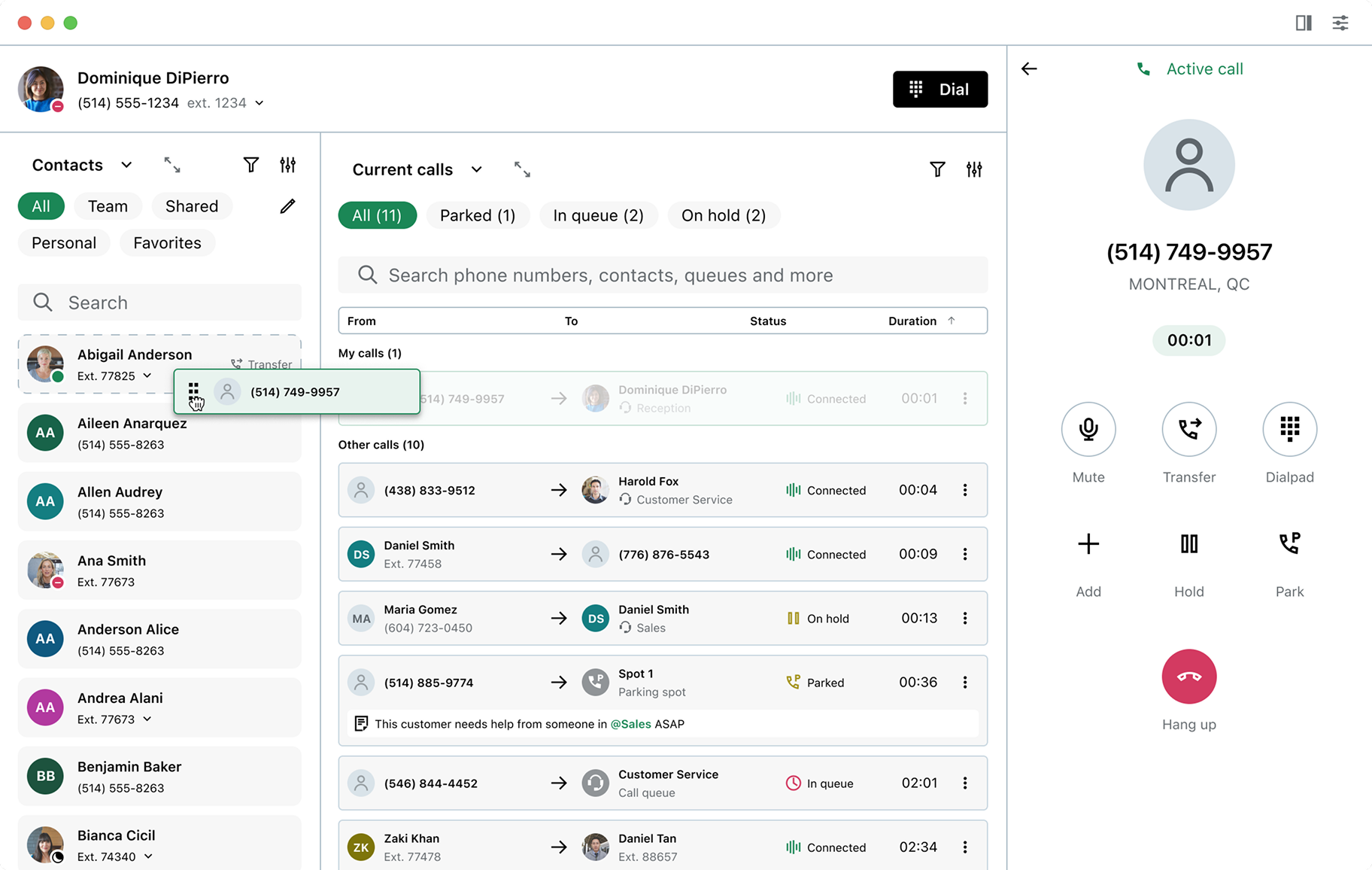
Calls can be transferred either from the softphone panel or via drag and drop within the attendant console. Users can move any active call from the “My calls” section directly onto a colleague in the “Contacts” list, where they can quickly search for teammates, check availability, and complete the transfer in an uninterrupted flow.
Parking a call
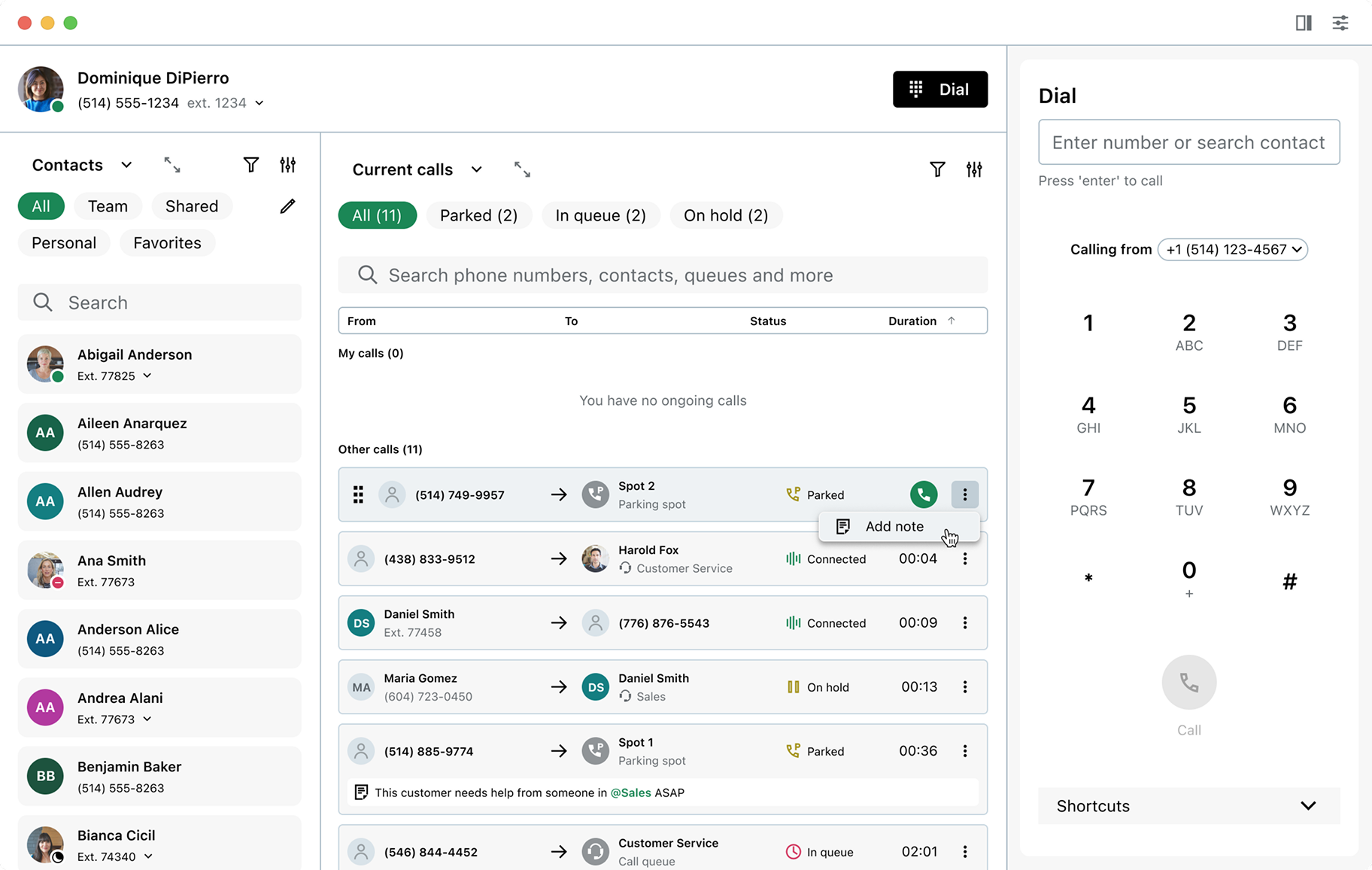
Parking a call allows users to place a caller on hold to be retrieved later or picked up by a colleague. Like call transfers, this can be done from the softphone panel or via drag and drop. Users can search or filter the directory to find an available parking spot, then drag a call onto it to complete the action.


Adding notes to a call
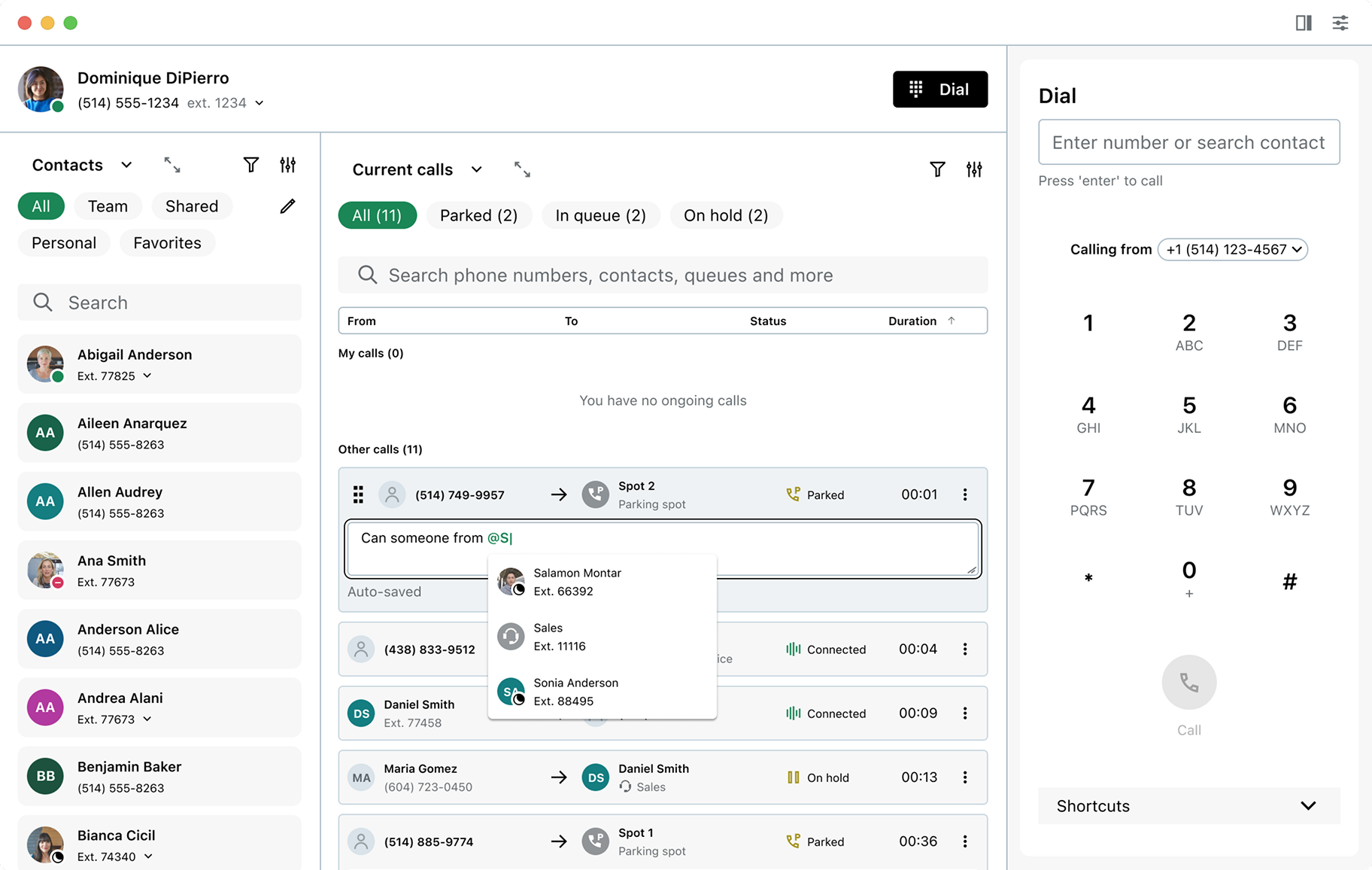
Notes added to a call are visible to anyone viewing it in the attendant console, helping teams share context and handle calls more effectively. Users can also tag colleagues within a note to notify them about specific calls when needed.
Call monitoring
Beyond frontline workers, the attendant console also supports contact center supervisors. This view gives supervisors a clear overview of ongoing calls, helping them ensure agents are handling calls effectively and maintain quality standards. From the console, supervisors can listen in on calls or barge in when needed.

Directory
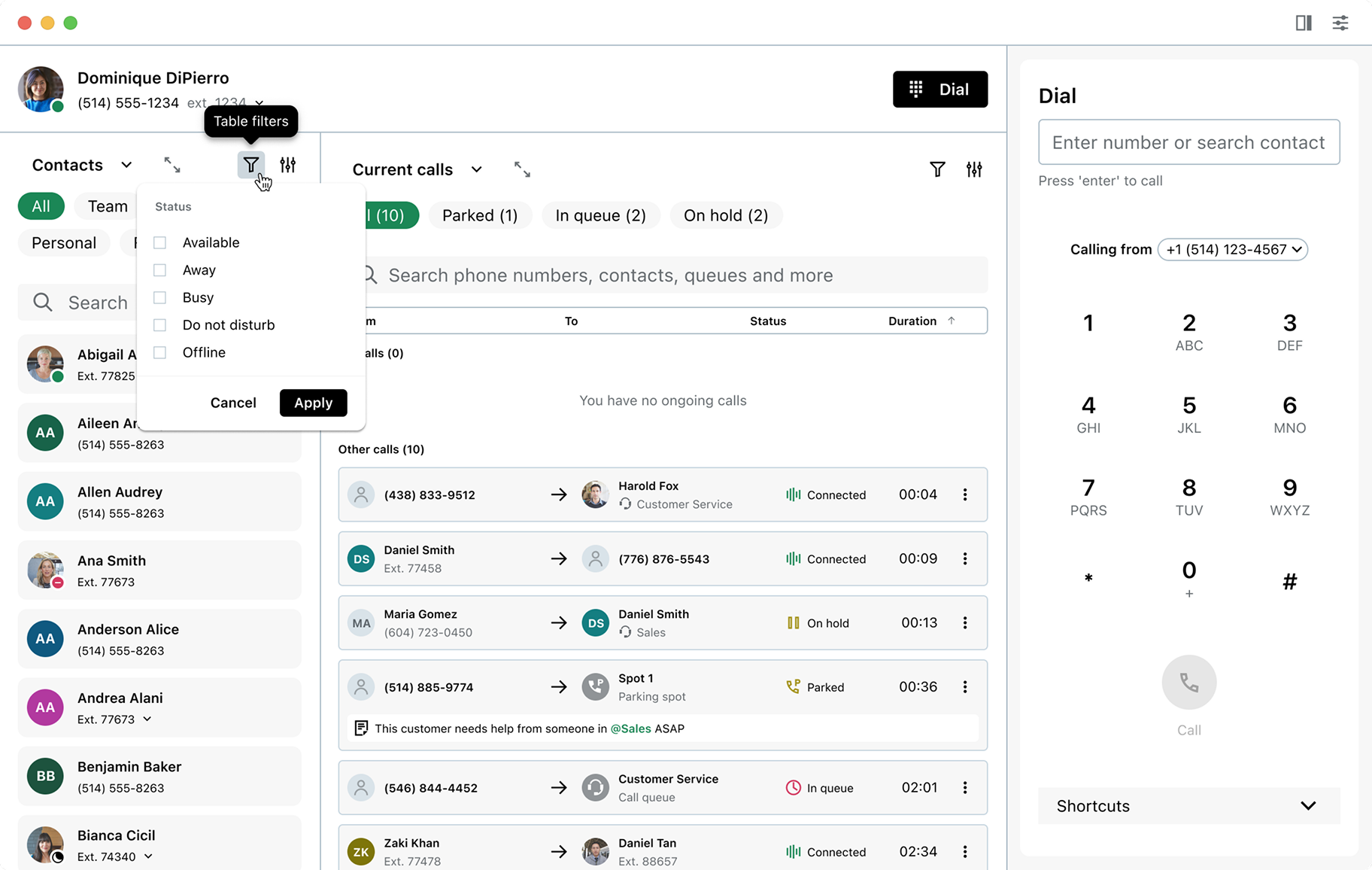
The contacts directory shows coworkers’ availability while also providing quick access to external contacts. Filters allow users to narrow the list by contact type or availability.
Resizing sections
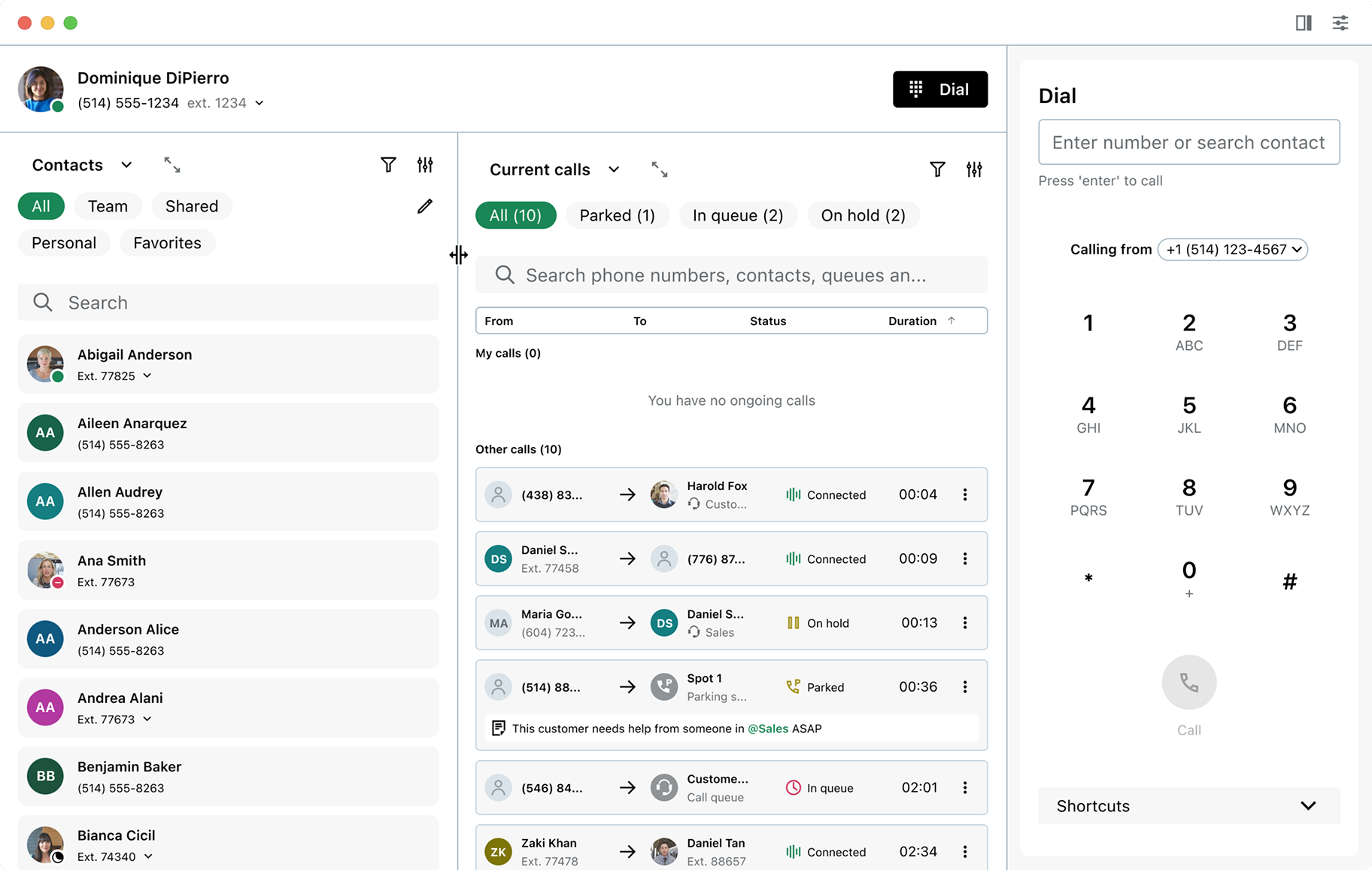
Additional features allow users to tailor the attendant console to their needs and focus on specific tasks. Drag handles let them resize the contacts directory or active calls list, and each section can be expanded for greater focus when needed.

Reflections
Planning usability testing early was a key driver of this project's success. Early feedback helped us prioritize design decisions, align more effectively with stakeholders, and focus on features that would have the greatest impact at launch, without overcomplicating the product. Strong collaboration with product and engineering also played a major role in shaping both the outcome and the overall experience of the project. Other key takeaways include:
- Low to mid-fidelity prototypes are effective for gathering early feedback;
- Testing multiple design directions can lead to unexpected and better solutions;
- Focusing on core tasks at launch helps avoid overdesign and supports adoption.